Building a Local-First Document Workflow Prototype
A high-level look at a recent client project: turning messy document intake into a structured, auditable workflow without exposing the client details.
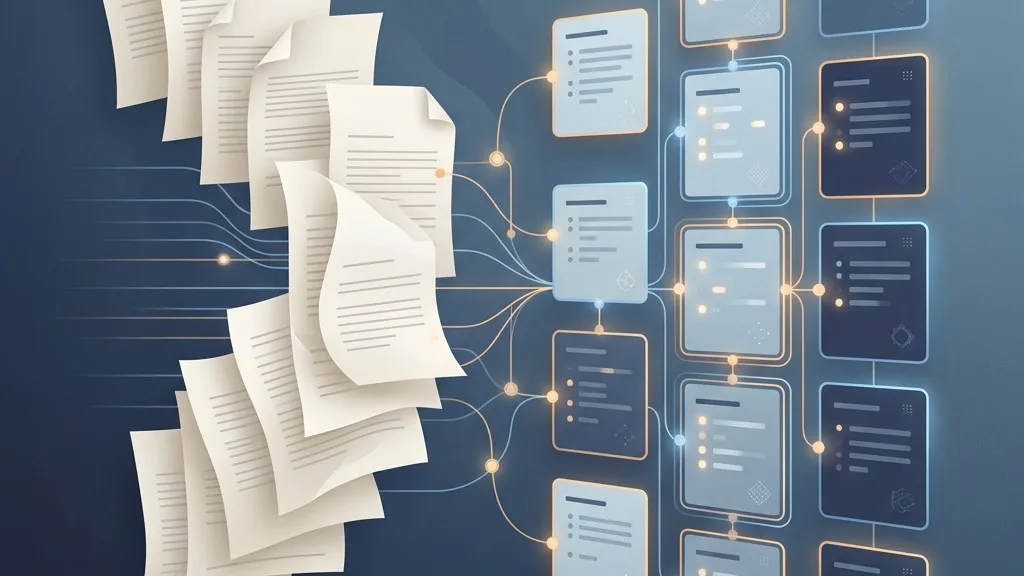
I recently worked on a client project that sat in one of my favourite kinds of problem space: taking a messy, human-heavy business process and giving it a clearer technical shape.
I cannot write much about the client, the domain, or the exact rules involved. That is partly because the details are not mine to share, and partly because the interesting part, at least from an engineering point of view, is not a single rule or feature. It is the overall shape of the system: documents come in, the system tries to understand them, deterministic checks decide what can safely continue, and anything uncertain gets routed back to a person with enough context to make a decision.
That sounds simple when written down. In practice, that boundary between automation and review is where most of the design work lives.
The prototype was built as a local-first document workflow. A user can upload documents, see them move through a processing pipeline, inspect what happened at each stage, and review anything that needs human attention. The goal was not to make a black box that magically approves things. It was to make a tool that can do the repetitive parts consistently while keeping the important decisions visible and auditable.
The pipeline follows a fairly classic shape. A document is received, text and structure are extracted, the extracted data is validated, the result is normalized into a canonical format, and then the system attempts to reconcile it against the information it already has. If everything lines up, the workflow can finish. If something is missing, ambiguous, or potentially risky, it moves into a review state instead.
That review state matters. A lot of automation projects fail because they treat human review as an afterthought: the happy path gets polished, and the unhappy path becomes a vague error message or a pile of logs. For this project, the review path was part of the product. The system records what happened, why a document could not continue, and what a reviewer needs to look at next.
The stack is intentionally straightforward. The core is a TypeScript monorepo with a React and Vite frontend, a Node and Express API layer, and SQLite for local persistence. Docker Compose packages the local runtime so the demo can run without depending on cloud infrastructure or external databases. The document processing layer uses OCR and PDF tooling where appropriate, with structured validation and reconciliation logic around it.
There is also an optional AI layer, but I think the way it is used is more interesting than the fact that it exists.
The AI parts are assistive rather than authoritative. They can help with extraction fallback, diagnostics, chat-style explanations, and learning from previous corrections. They do not replace the deterministic checks, and they do not bypass review. If the system is unsure, the answer is not to let the model decide. The answer is to surface the uncertainty clearly and ask for a human decision.
That distinction has become increasingly important in the way I think about AI-enabled software. It is tempting to present AI as the centre of the product, but in many business workflows the more useful pattern is quieter. The model helps interpret messy inputs, suggests likely structure, or explains a failure. The surrounding system still owns the state machine, audit trail, permissions, and final control boundaries.
In this prototype, the workflow itself is explicit. Each run has a state. Each major step has input, output, and status. Events can be shown back to the user so the interface is not just saying “processing” forever. That visibility makes the system easier to test, easier to debug, and easier to trust.
The frontend reflects that as well. Rather than hiding everything behind a single upload button, it has separate areas for upload, batches, pipeline progress, reconciliation, review, learning, agent activity, documentation, and settings. For a prototype, that might sound like a lot, but it helped make the conceptual model tangible. You can see the workflow as a workflow, not just as a result.
Another thread through the project was memory: not in the vague product-marketing sense, but in the practical sense of learning from repeated corrections. If a reviewer keeps fixing the same kind of field in the same kind of document, the system can capture that as a pattern and use it to improve future runs. Again, the important part is that learned suggestions remain suggestions. They are useful because they reduce repetition, not because they remove accountability.
A lot of the engineering effort went into boring-sounding details that are actually where these systems become usable: deterministic local setup, seeded demo data, repeatable smoke tests, clear failure paths, and enough recorded evidence to explain what happened after the fact. Those are not glamorous features, but they are the difference between an impressive demo and something a client can realistically evaluate.
I came away from the project feeling that this is a good shape for many document-heavy workflows. Start with a clear pipeline. Keep state explicit. Use AI where it helps with ambiguity, but keep the control logic deterministic. Treat review as a first-class part of the product. Make the system explain what it did.
That combination is not as flashy as a fully autonomous agent, but it is much more useful. For real business processes, the goal is rarely to remove people entirely. More often, it is to give them better tools, better context, and fewer repetitive decisions to make.